
Your SMS on every ship, always the current revision.
Manuals, procedures and circular letters by chapter, with revisions, crew familiarization and risk assessments. Works on board also without a connection.
A separate product from the SEA360 team. Use it on its own or alongside SEA360.
Book a demo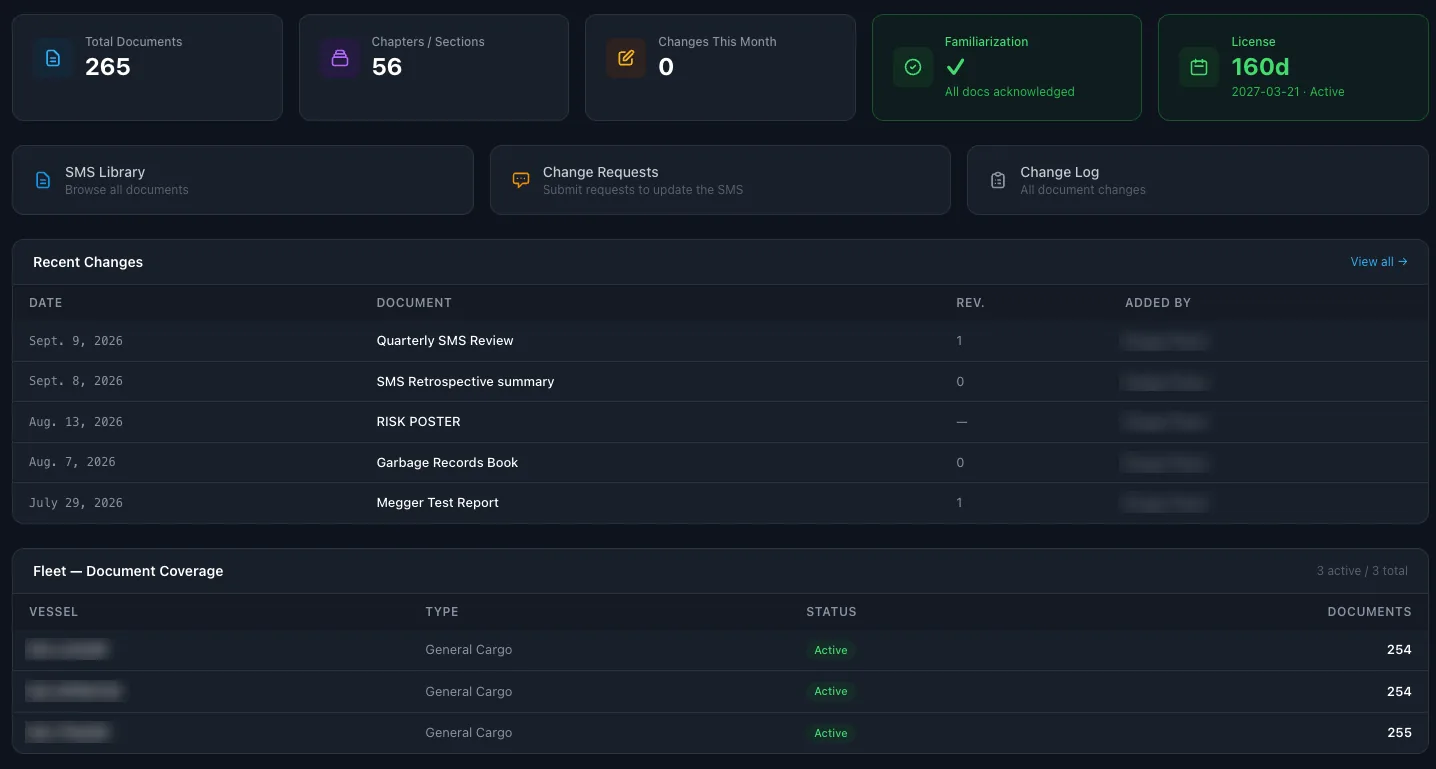
The SMS only works if the ship has the right version.
The ISM Code expects the company's procedures to be on board, kept up to date and known by the crew.
When the manuals are PDFs sent by email and the revisions are tracked in a spreadsheet, nobody is sure which version is on which ship, or who has read the last change.
One SMS library for the office and the fleet keeps every document, its revision and its familiarization in one place.
From the office manual to the crew on board.
SMS library
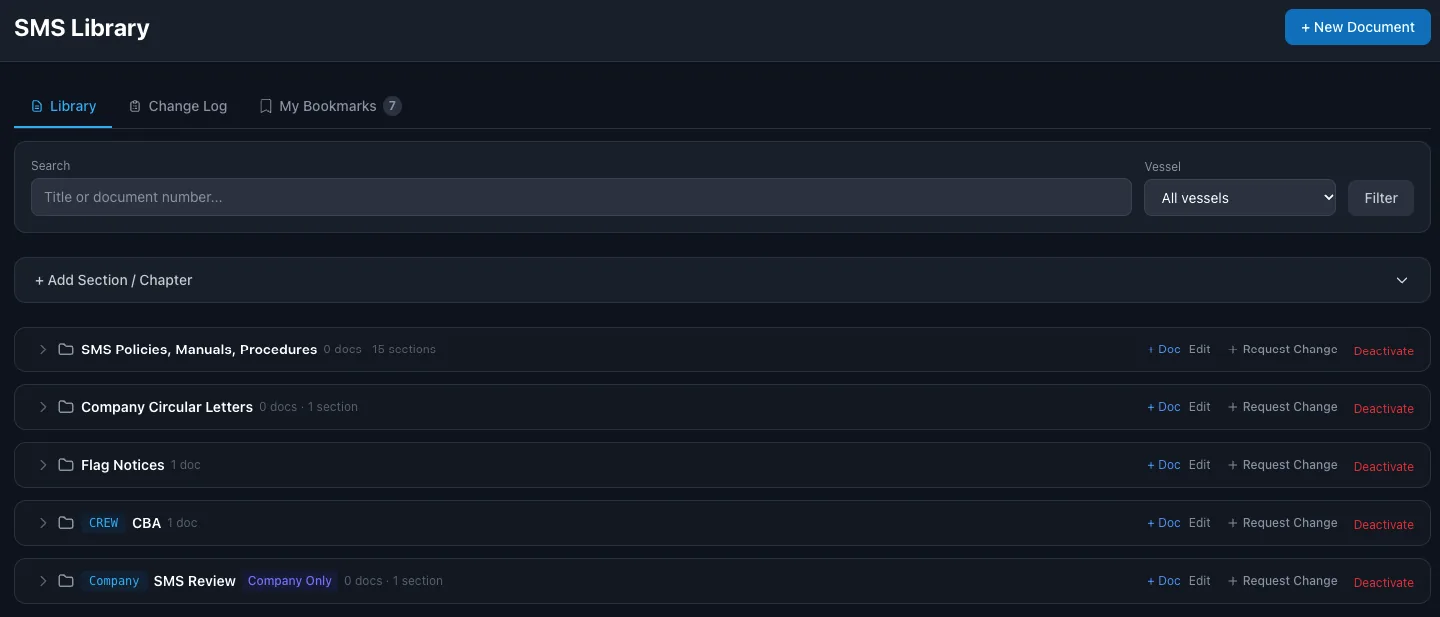
Manuals, procedures, company circular letters and flag notices, by section and chapter. Search by title or document number.
Revisions and change log
Every document has its revision number, and every change is recorded in the change log.
Change requests
The crew or the office request a change to a document, and the office reviews it.
Crew familiarization
The crew acknowledge new and changed documents. The office sees who has read what.
Documents per vessel
See how many documents each vessel has, and filter the library by vessel.
Crew and company sections
Some sections are for the crew, others only for the office.
Risk assessments
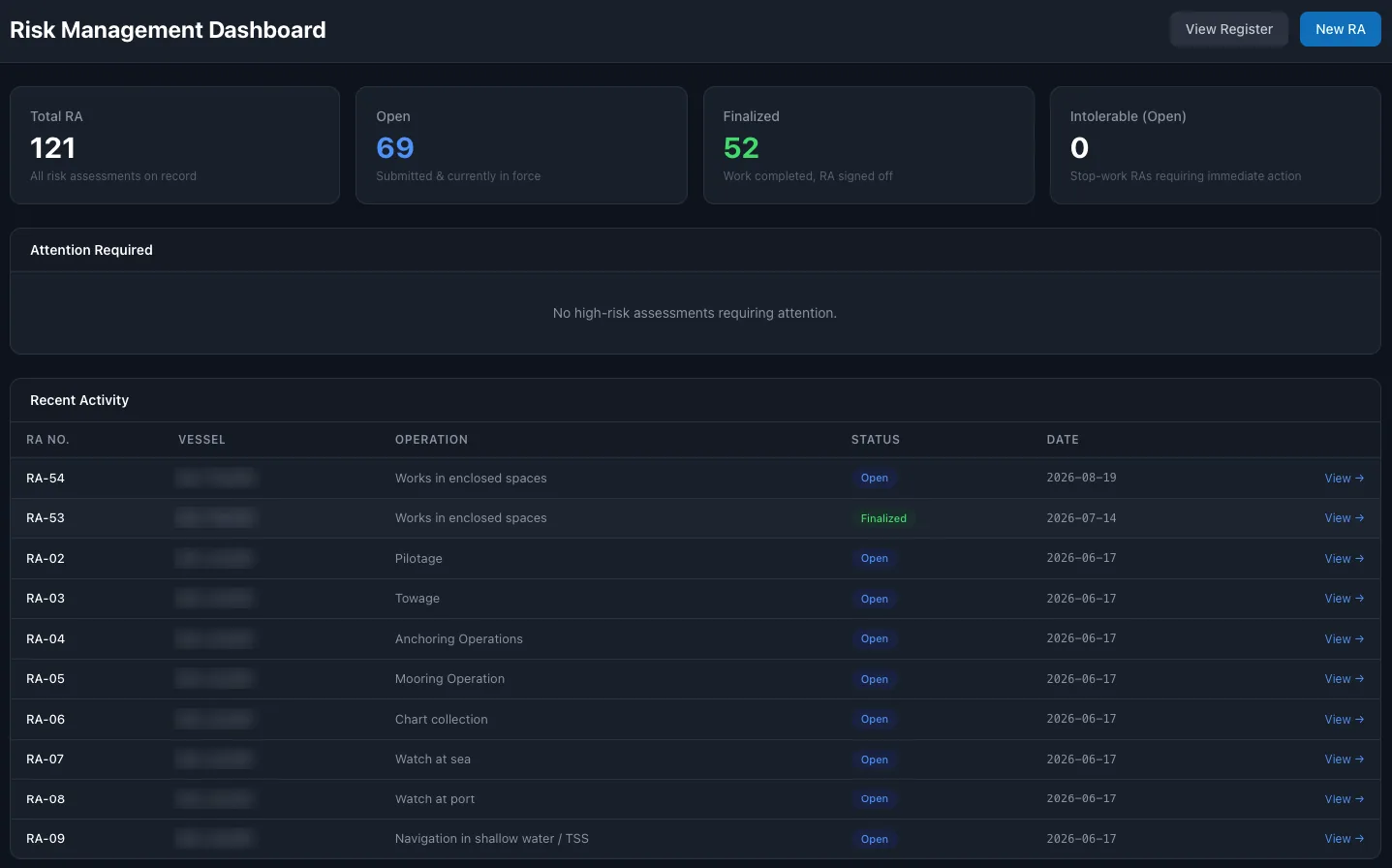
A register of risk assessments by operation, such as enclosed space entry, mooring or pilotage. Open and finalized assessments, and intolerable risks that stop the work.
On board, offline
The crew open the SMS and work with it also without a connection. Bookmarks keep the documents each person needs close at hand.
Every manual and procedure, by chapter.
Sections and chapters, search by title or number, filter by vessel.
Every operation assessed before the work starts.
Each line shows the assessment number, the vessel, the operation, the status and the date.
From PDFs in email to one SMS library.
- 01
Load your SMS
Add your manuals, procedures and circular letters by section and chapter.
- 02
Assign to vessels
Choose which documents each vessel has, and which sections are for the crew.
- 03
Revise and follow
Publish revisions, collect the crew's familiarization and keep risk assessments in one register.
Questions about SEA360 SMS.
What is safety management system software?
A system that keeps the company's Safety Management System, its manuals, procedures and forms, in one place for the office and the fleet, with revisions, familiarization and a record of every change.
Is SEA360 SMS part of SEA360?
It is a separate product from the same team. You can use it on its own or together with SEA360. It has its own login.
Does it work on board without internet?
Yes. The crew open the SMS and work with it also without a connection.
How do we know the crew have read a new revision?
The crew acknowledge new and changed documents, and the office sees who has read what.
Can the crew suggest changes to a procedure?
Yes. The crew or the office request a change to a document, and the office reviews it. Every change is recorded in the change log.
Does it include risk assessments?
Yes. Risk assessments are kept in a register by operation and vessel, with their status. Intolerable risks are marked as stop-work.