
SEA360 on any device, on board and in the office.
The same fleet, jobs and records on a computer, a tablet or a phone. The phone view is designed for the phone, not squeezed from the desktop.
Opens in the browser. Nothing to install.
Book a demo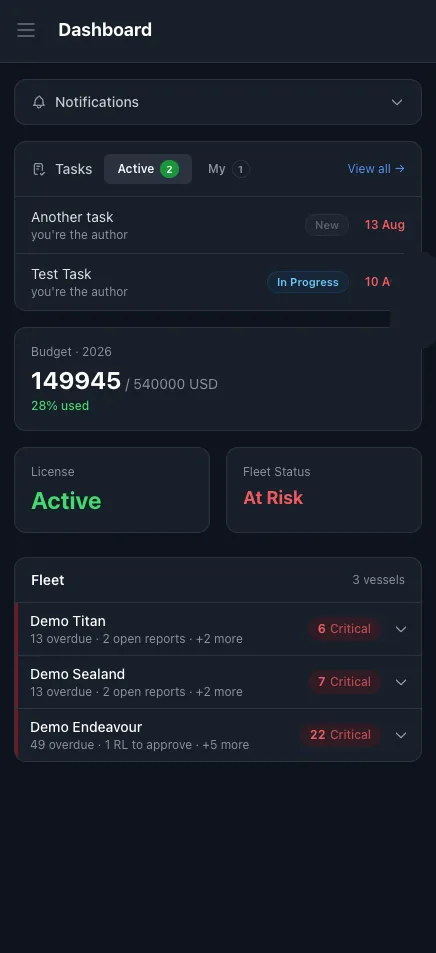
The work happens away from the desk.
Jobs are done in the engine room and on deck. Inspections happen on board. Approvals are needed when the superintendent is at a yard or travelling.
When the system only works on the office computer, the report is written later from memory, the photo stays on someone's phone and the order waits until Monday.
With SEA360 on the phone, the record is made where the work is done.
What the crew do from a phone.
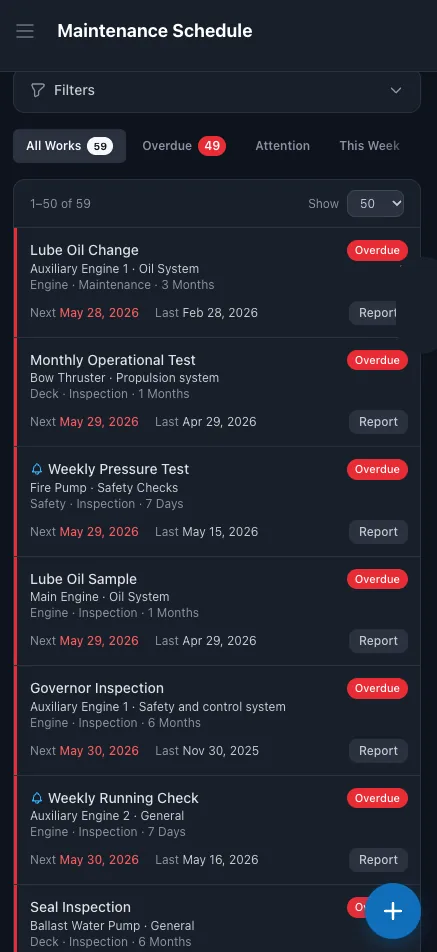
Report completed work
Close a job with remarks and photos from the engine room or on deck.
Running hours
Enter running hours on the spot. The next due date is recalculated.
Certificates
Open the vessel's certificates and see what is due.
Spare parts
Raise a requisition when a part is needed.
Safety reports
Send a near miss or other safety report when it happens.
Offline
The phone works on board also without a connection. Data syncs when the ship is back online.
What the office does from a phone.
Fleet dashboard
Overdue jobs, vessel status, tasks and budget for the whole fleet.
Approvals
Approve requisitions and orders, wherever you are.
Inspections on board
The superintendent records findings with photos during the visit.
Tasks and notifications
Create tasks and follow what needs your attention.
Questions about SEA360 on a phone.
Is there an app to install?
No. SEA360 opens in the browser of a phone, tablet or computer. The phone view is designed for small screens.
Does it work on board without internet?
Yes. The crew keep working without a connection, and data syncs when the ship is back online.
Can the crew attach photos to a job report?
Yes. Photos are added to the report from the phone.
Can a superintendent approve orders from a phone?
Yes. Requisitions and orders can be approved from a phone.
Is everything available on the phone?
Yes. All SEA360 modules are available on a phone and a tablet.